
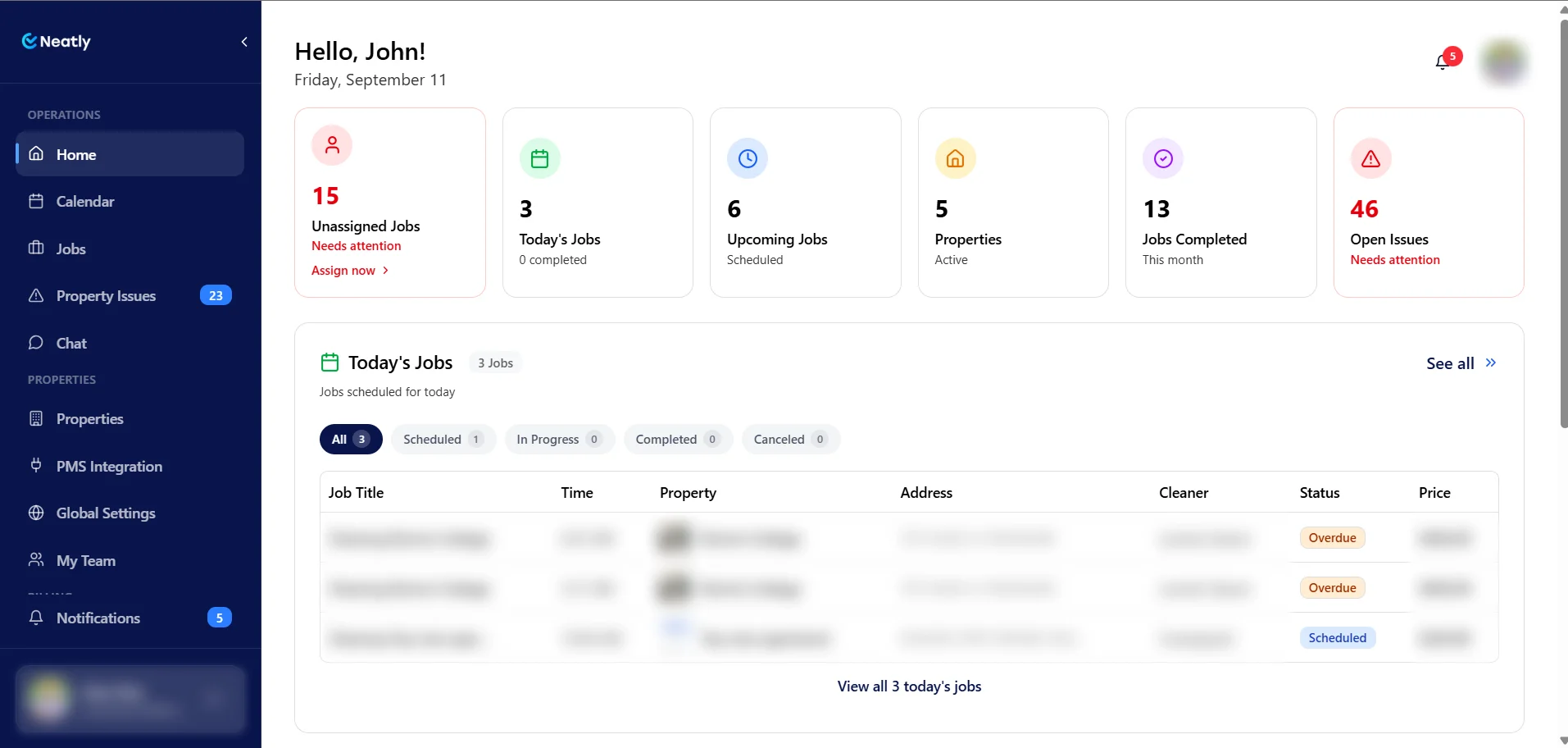
What a portfolio turnover system needs to control
Vacation rental turnover management is the process of turning a departure into a property ready for the next arrival: scheduling the work, confirming the cleaner, checking the result and resolving open issues. For a manager with 20 or more properties, the useful planning unit is the turnover window for each home, not the total number of listings.
A 24-property portfolio might have eight departures on Saturday, six same-day arrivals and two homes that stay empty overnight. Those six arrival deadlines determine the immediate workload. Start by matching people and time to those deadlines; then decide what to automate.
The worked schedule below is an illustrative planning example with hypothetical properties. Replace its assumptions with your own measured cleaning, travel and review times.
1. Build one turnover board with a named owner
Give each turnover one record that links the property, reservation, work window, assigned team and review decision. Put access codes in your authorized system, not in a widely shared planning sheet. Keep a single current assignment so a forwarded message does not become a second schedule.
Use the fields below as a template and map the labels to equivalent fields in your PMS or turnover system. Agree on what each status means before rollout.
| Field | What to record | Who keeps it current |
|---|---|---|
| Property and job reference | Stable property ID, reservation reference and service date | Operations lead |
| Access and deadline | Confirmed departure, earliest access, next arrival and internal ready-by time | Operations lead |
| Assigned team | Named cleaner or crew, acceptance and backup contact | Cleaning supervisor |
| Work estimate | Property-specific cleaning time, travel and review allowance | Cleaning supervisor |
| Work status | Planned, accepted, started, awaiting review or blocked | Assigned cleaner / reviewer |
| Open issue | What is wrong, next action, responsible person and next update time | Issue owner |
| Ready decision | Who checked the result, when, and any remaining restrictions | Authorized operations lead |
2. Calculate cleaner capacity before assigning a second job
Use measured durations from comparable turnovers. Include property size, linen handling, restocking, travel, access delays and the time needed to review the result. A crew is the people who work together on a job; adding another person does not automatically halve the duration.
Work backward from an internal ready-by target. If guest arrival is 4:00 p.m. and you want 30 minutes for an unexpected correction, the target is 3:30 p.m. Choose a reserve that fits your operation; this example uses 30 minutes.
For a crew doing sequential jobs, add the cleaning and capture time for both properties, the travel between them and the final review allowance. Any review done in parallel still needs a separate reviewer with capacity.
| Planning input | Example assumption |
|---|---|
| Same-day access / arrival | 11:00 a.m. access; 4:00 p.m. arrival |
| Internal ready-by target | 3:30 p.m. — 270 minutes after access |
| Clean and capture per home | 120 minutes, using this example’s estimate |
| Travel between two homes | 30 minutes |
| Final review allowance | 30 minutes |
| Two jobs on one crew’s route | 120 + 30 + 120 + 30 = 300 minutes |
| Projected ready time | 4:00 p.m. — 30 minutes after the internal target |
What the operations lead should change
In this example, four crews can each take one of the six same-day homes first. Giving two of those crews a second 120-minute clean after travel produces a 4:00 p.m. finish including final review. That uses the entire arrival window and misses the 3:30 p.m. target. This assumes a separate reviewer can check the first homes while the crews move on.
Two additional crews, or verified equivalent capacity, would let all six same-day cleans start at 11:00 a.m. If all six finish at 1:00 p.m., six 30-minute reviews require 180 reviewer-minutes. Two reviewers could cover that in 90 minutes with no rework; one would finish at 4:00 p.m. Confirm separate review coverage as well as cleaner capacity. Schedule the two homes with no same-day arrival afterward, provided their next service deadlines allow it.
Other options are to split work between qualified people or change a service window through your authorized guest process. Do not solve a capacity shortage by silently deleting cleaning tasks or assuming a shorter duration. Recalculate when the actual condition differs from the estimate.
3. Confirm the handoff before turnover day
An assignment needs acceptance and a clear brief. The cleaning supervisor should confirm the crew, expected access, property instructions, supplies and required photo views. The operations lead should identify who can authorize a reassignment and who can make the final ready decision.
Choose confirmation and check-in times that suit your service window. For example, review the next day’s schedule the previous afternoon and reconcile it again before the first departure. Keep an on-call response for bookings that arrive after the scheduled checks.
- Before the first job: check the current departure and arrival times against the job, including any approved late checkout or early arrival.
- At access: the cleaner reports a blocked entry or unexpected condition to the named operations contact, with an estimated impact.
- Before leaving: the cleaner completes the checklist, captures the required views and reports unresolved issues.
- At review: the responsible lead checks the record and decides whether to request a correction, arrange an inspection or communicate a revised plan.
4. Test booking changes without creating duplicate work
Choose which system creates cleaning assignments for each property and service. If two tools can generate the same task, decide which automation is active and how you will prevent duplicates. Then test the route you actually use, rather than assuming that a connected calendar handles every change.
Hostaway documents reservation-linked auto-tasks and notes that manually changing an auto-task’s start or end time stops those times from following later reservation changes. Hospitable documents task rules that can create assignments for reservations; its option for existing bookings has a defined scope and does not continuously backfill older reservations. Those are reasons to inspect configuration, not reasons to assume the PMS cannot schedule cleaners.
- Check a normal booking and confirm one expected job with the right property and window.
- Move a departure date and check the job date, assigned team and any notification that person relies on.
- Cancel a test reservation through your approved test process and confirm the resulting work and notifications.
- Check a same-day booking and any manually edited job times.
- After changing a rule, check existing as well as future reservations and look for missing or duplicate work.
5. Separate cleaner completion from the ready decision
“The cleaner finished” and “the property is ready” answer different questions. A proposed review gate should check the checklist, required photo views and unresolved issues. A named person then decides whether a correction, another image or a physical inspection is needed.
Choose reference photos for specific staging details: the bed presentation, towel arrangement, sofa setup or supplies that should be visible. Ask for comparable views and check unclear captures before making a decision. Avoid a photo requirement so broad that it displaces cleaning time without improving the review.
Neatly compares staging captures with reference photos and flags visible differences for team review. That can help your reviewer focus follow-up, but it cannot establish sanitization, linen replacement, odors or hidden cleanliness. Keep those requirements in your cleaning procedure and use physical inspections when appropriate.
6. Give exceptions an owner and a next update time
Agree on the action for each exception before a busy day. The table below is a process template: set your own response windows, authority and backup arrangements. At the next-update time, the issue owner reports progress even if the completion estimate is still pending.
| Exception | Immediate action | Decision owner |
|---|---|---|
| Cleaner cannot attend | Confirm replacement capacity and update the one current assignment | Cleaning supervisor |
| Guest has not departed / access blocked | Confirm access through the authorized guest process; recalculate the work window | Operations lead |
| Job missing or duplicated | Compare reservation and job records; reconcile assignments and tell affected cleaners | Operations lead |
| Staging difference or unclear capture | Review the reference and capture; request correction or another view | Designated reviewer |
| Damage or repair needed | Document the issue, assign repair follow-up and decide whether it blocks readiness | Operations lead / maintenance contact |
| Projected finish misses target | Reassign verified capacity or arrange an authorized revised arrival plan | Operations lead |
Use a short, complete exception message
For example: “Unit 12, Saturday turnover. Access is blocked at 11:05. Operations lead is contacting the departing guest. Revised access estimate pending. Cleaner will wait for confirmation before starting. Next update: 11:20.” Keep guest details and access credentials in the appropriate private channel.
7. Measure the handoffs that cause rework
Use a small weekly review to identify repeated problems. Compare similar property types and same-day windows; a large home and a studio should not share an assumed cleaning duration. Include the number of jobs behind a percentage so one unusual day does not look like a trend.
Calculate these measures from your job records or reporting tools. Check which fields your software records before choosing the measures your team will maintain.
- On-time readiness: jobs approved by the internal ready-by target divided by jobs with that target.
- Assignment coverage: upcoming jobs with an accepted cleaner at your chosen confirmation checkpoint divided by upcoming jobs.
- Rework rate: reviewed jobs needing a corrective visit divided by reviewed jobs; count an unclear-photo retake separately.
- Estimate error: actual elapsed work time minus planned time, grouped by comparable property and service.
- Unresolved issues: open exceptions past their agreed next-update time, with a named owner for each.
Start with a controlled group of properties, then expand
Pilot the process on a small group that represents the portfolio: a same-day home, a longer clean and a property with a different connection or access arrangement. Run the booking-change checks, time the real workflow and confirm the reviewer’s capacity before adding the next group.
Neatly supports job coordination from supported PMS and calendar connections, cleaner instructions, job-linked photos and AI staging comparison. Hospitable and Hostaway have direct connection routes; ask about the appropriate setup for another PMS. Confirm the supported updates for your connection during onboarding.
Your first property is free. Use it to test the workflow with your existing cleaners, then use the current pricing calculator for your active portfolio. Bring a real busy-day schedule to the demo so the conversation covers assignments, review and follow-up for your operation.
Bring your next busy turnover day to a demo
Walk through cleaner assignments, photo review and PMS connection options for your 20+ property portfolio.
Book a portfolio workflow demo·Explore photo verification