Check which reservations the new policy covers
Airbnb’s Reasonable house rules policy applies to reservations booked on or after November 20, 2026. It generally restricts requests for substantial cleaning work, with examples including bed stripping, taking trash off the property, and washing and putting away dishes. The policy allows Airbnb to consider a home’s circumstances when assessing exceptions.
Check when the reservation was made. The start date is about bookings, not simply checkouts after November 20. Airbnb also says edits to listing rules apply to future reservations; they do not replace the rules attached to pending or confirmed bookings.
This guide focuses on the cleaning handoff. Check Airbnb’s current policy and the instructions attached to the reservation before changing what you ask a guest to do. Policy details below were checked on November 10, 2026.
Move the work into the cleaner’s job instructions
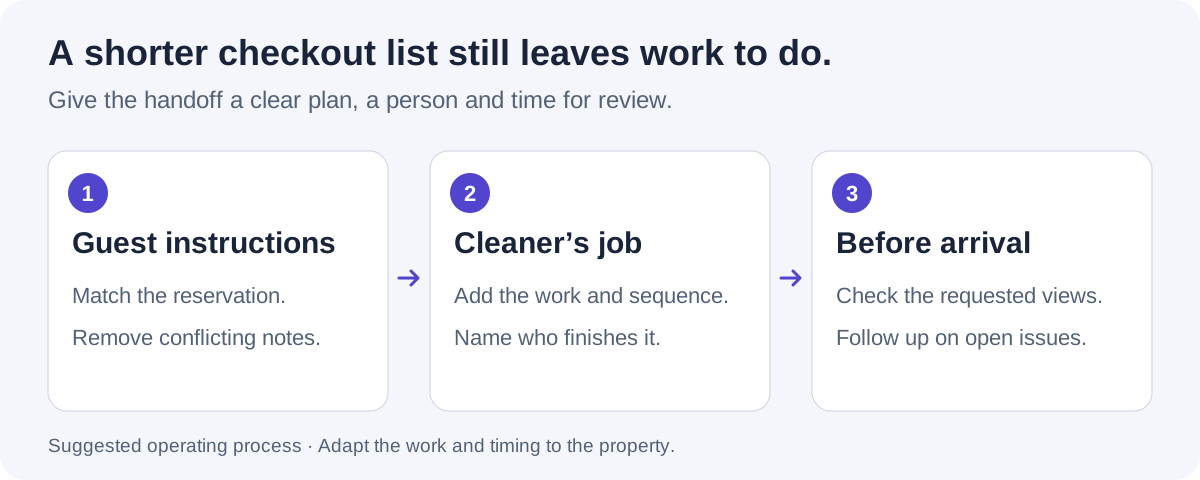
Compare the old guest checkout list with the cleaner’s checklist, line by line. A task should not disappear from both. If your cleaner has been arriving to stripped beds or an empty dishwasher, tell them what they may now find and agree on the work they will take over.
Use the table as a handoff plan, then adapt it to the property. These are suggested cleaning-team responsibilities, not extra instructions to send to guests.
| Work to cover | Put in the cleaner’s instructions | Check before the next arrival |
|---|---|---|
| Used dishes | Inspect dishes and cookware, run the appropriate wash process and put clean items away. Identify who finishes unloading if a cycle outlasts the cleaner’s visit. | The kitchen is reset, not left waiting for someone to empty the machine. |
| Beds and used linen | Strip beds, replace linen and follow the property’s laundry plan. Confirm where used linen goes and whether clean stock is ready. | Linen replacement is confirmed through the cleaning process; a made-bed photo only shows presentation. |
| Bins and waste | Empty and reset the relevant bins. Confirm who handles the property’s disposal or collection arrangements. | The bins and supplies are ready for the next stay; any collection issue has an owner. |
| Supplies and room setup | Restock the specified items and restore the approved arrangement after cleaning. | Requested photos show the setup clearly enough for review. |
| A reported property issue | Record the location and visible condition, then tell the person responsible for assessment or repair. | Open repair work is handed over even if the cleaning itself is complete. |
Replace conflicting checkout instructions
Airbnb requires house rules to be disclosed in the designated listing section when the guest books. A later message or a sign inside the home should not introduce a new rule. Review the listing, scheduled messages, digital guide and printed checkout card together so guests do not receive conflicting instructions.
Airbnb’s current desktop instructions place these settings under Listings, the selected property, Listing editor and House rules. Additional rules can be marked for the stay or before checkout. Check the saved version before updating reminder messages.
Keep a dated copy of the previous instructions while existing reservations still refer to them. Your guest-facing team and cleaning supervisor should know which version applies; a blanket message change can otherwise create a different promise from the one the guest booked.
Recheck the turnover window
Ask the cleaner what the revised job actually involves. More work at the start of a turnover can change the order of tasks even when it does not require another person. Dishes, linen availability, laundry and travel to the next property can all affect when the job is truly finished.
Separate hands-on work from waiting time. In a hypothetical property, the dishwasher cycle takes 90 minutes and the kitchen must be reset by 2:00 p.m. Starting the machine at 1:30 p.m. cannot meet that deadline. Loading, drying and unloading also need time. Check the actual appliance cycle and arrange the job around it rather than adding a generic allowance to every property.
Leave a review window after the main cleaning work. If the final photos arrive at the same moment as the next guest, there is little room to request a clearer view or correct a problem. When the revised plan does not fit, decide who will provide extra coverage or make the operational call before accepting an early-arrival request.
Brief the team before the first affected checkout
A new checklist is only useful if the people doing the work understand the change. Walk through one property with the cleaning supervisor, including the starting condition they should expect and the tasks that now sit with their team.
At the property
Confirm clean linen, supplies, disposal arrangements and access. Check that the equipment needed for the revised job is usable. A larger task list will not help if the spare linen is locked in a cupboard the cleaner cannot open.
In the job instructions
Write the task, the expected result and any sequence that matters. Name the person who finishes a delayed dishwasher or laundry step. Remove assumptions such as “guest will have done this” where they no longer apply.
At the review checkpoint
Agree when the cleaner should report a delay, which photos are needed and who can arrange help. Make sure a replacement cleaner receives the revised instructions too. Do not rely on the regular cleaner passing along a verbal update.
Copy a handoff note for each property
Keep one short change note beside the revised checklist. It gives a substitute cleaner or co-host the information they need without asking them to reconstruct the policy discussion. Fill in the details for the actual property; this is an operating note, not a new set of guest rules.
- Property and checklist version: [property / date updated].
- Reservation context: [where to check the instructions attached to this booking].
- Work added or changed: [specific tasks, sequence and expected result].
- Completion owner: [who finishes each task if the first cleaner must leave].
- Review by: [local time, reviewer and backup contact].
- Team briefed: [who has seen the change, including replacement staff].
- Open question: [what still needs a decision, who will answer and by when].
Use photos to review the result
Request photos that answer the questions created by the revised job: is the kitchen reset, is the supply tray stocked, does the room match its reference? Ask for a close view when a concern needs more detail. A full gallery is less useful than a small set of views the reviewer can act on.
Neatly compares staging captures with reference photos and reviews uploaded before-and-after photos with AI to help identify visible cleaning issues and property damage. Your team reviews the findings and arranges a correction, another view or an on-site check. Neatly also reviews workflow videos with AI and generates issue reports for your team to assess.
Keep the review tied to what the image shows. A staged bed does not establish linen replacement, and a photo cannot confirm odors, sanitization or hidden conditions. If damage is suspected, document the observation without assigning responsibility from an image alone.
A short checkout message you can adapt
A reminder can be brief and friendly. Use the message below only where its details match the instructions already disclosed for that reservation; replace the brackets before sending.
“Thanks for staying with us. Checkout is at [time]. Please follow the lock-up and key-return instructions in your reservation details. If anything in the home needs our attention, send us a message so we can arrange the next steps. Safe travels!”
Airbnb’s hosting guidance suggests keeping checkout simple and considering whether tasks such as gathering towels belong in the host’s cleaning routine. Give your cleaning team the fuller work instructions separately, so the guest reminder does not become the team’s operating checklist.
Run one turnover with the revised plan
Use the first affected turnover to check the plan against the property. Note when work starts, what causes waiting, when photos arrive and which items still need attention. Ask the cleaner what was missing from the instructions before applying the same process elsewhere.
Keep changes specific. If unloading is the bottleneck, change the sequence or assign the remaining work. If the reviewer cannot see the sink, change the requested angle. If an instruction was missed by a substitute cleaner, fix the briefing. The useful outcome is a job the team can finish and review within the time available.
Walk through your revised turnover in Neatly
Bring your checkout instructions and cleaner checklist. See how job coordination and AI photo review can help your team follow the work through to the next arrival.
Book a turnover workflow demo·Explore photo verification