
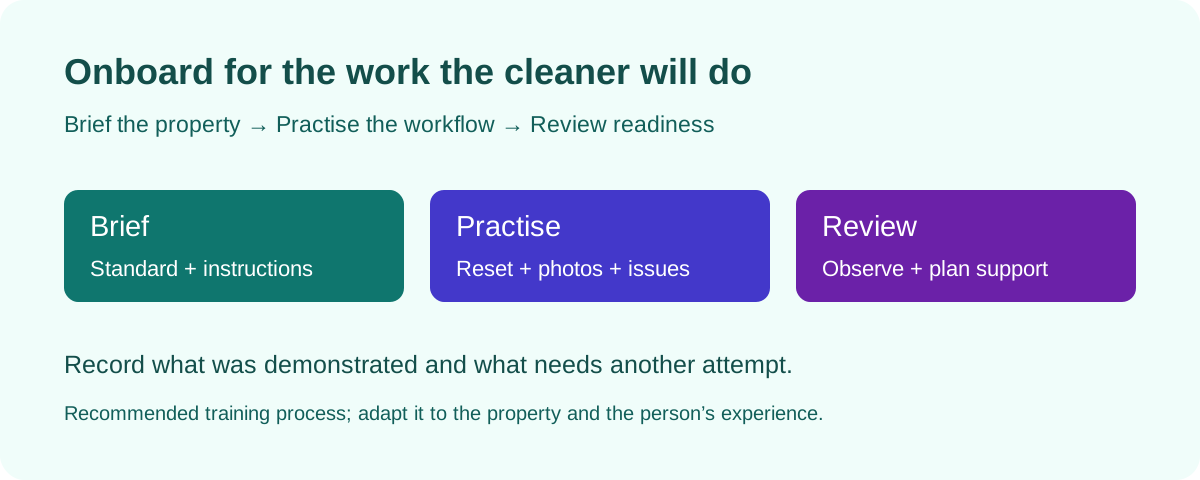
Choose a representative property and a training owner
Select a property that lets the cleaner practise the work they will actually do: access, laundry, the reset standard, photo capture and an issue handoff. Starting with an unfamiliar property under an immediate arrival deadline makes it difficult to separate unclear instructions from a capability gap.
Name the person who explains the standard, observes the practice and records the next decision. That may be an experienced cleaner, supervisor or operations manager. Also identify who answers questions after the practice job; a new cleaner should not need to guess which group chat is monitored.
Agree on the scope of the practice before it starts. Explain the expected result and what the trainer will review. Adjust the training to the person’s experience and the property’s complexity rather than promising everyone will be ready after a fixed number of hours.
Prepare a property briefing the cleaner can use on the job
Keep the briefing short enough to navigate while working, with links to detailed instructions where needed. Separate the property’s permanent standard from instructions for one stay. A changed bed arrangement belongs in the current property reference; an extra towel request for one arrival belongs with that job.
Walk through the briefing together and ask the cleaner to locate each item. Sending a document is not evidence that the person can find the relevant instruction when a problem arises.
| Briefing item | What to provide | What to check during practice |
|---|---|---|
| Job and time window | Property identifier, service scope, available access window and next arrival deadline | Cleaner identifies the correct property, job and work window. |
| Access and supplies | Approved access procedure, supply locations, equipment instructions and linen arrangements | Cleaner can use the authorized access route and locate the required materials. |
| Reset standard | Room-specific checklist and current reference photos | Cleaner can explain the expected result and find the relevant reference. |
| Photo standard | Requested areas, useful views and before-and-after requirements | Captures answer the reviewer’s questions and belong to the right job. |
| Extra work and issues | How to report missing supplies, visible damage or work outside the agreed scope | Cleaner describes the condition and contacts the designated person. |
| Review and handoff | Reviewer, checkpoint, escalation contact and how corrections are checked | Cleaner knows who responds and how to confirm the next step. |
Confirm access to the working tools before the practice job
Check that the cleaner can use their own assigned account or approved working route and see the property information required for the job. Test this on the device they will use. Do not discover at checkout that an invitation was never completed or the person is looking at the wrong property.
Your PMS and cleaning tools may separate team membership, property access, assignments and notifications. For example, Hospitable’s setup documentation treats teammate property scope, task rules and notification methods as separate configuration steps. A successful setup in one layer does not prove that the complete workflow is ready.
Use the setup instructions for your actual tool and connection. Confirm which system owns the cleaning assignment so that separate task rules do not accidentally create competing instructions. Keep passwords and property access details out of broad team messages.
Run a supervised practice turnover from start to finish
Ask the cleaner to begin by identifying the job, reading its instructions and checking the scope. Observe the complete workflow rather than only inspecting the finished room. A person can produce the right result during a demonstration while still being unable to find instructions independently.
Let the cleaner explain the sequence they will use for laundry, cleaning, replenishment and staging. Check that it fits the actual property and equipment. Follow the relevant cleaning, material and equipment instructions; onboarding is not a reason to improvise methods or rush essential work.
Have the cleaner capture the requested starting condition and completed work where appropriate. Review the images together: can the reviewer locate the area, see the required detail and compare the result with the current reference? Request another view when the image is unclear.
Practise an exception as well as a routine reset. Use a clearly hypothetical scenario, such as a missing towel set or a reported appliance fault. Ask the cleaner what they would record, who they would contact and what they would do while waiting for a decision. Do not create damage or unsafe conditions as a training exercise.
Assess readiness with observed actions
Use the table below as a review aid, not a universal certification. Record what the person demonstrated, what remains unclear and the next practice or support needed. A tick beside “trained” is less useful than a short observation about the actual skill.
Keep a distinction between a capability the cleaner has demonstrated and an instruction the operator still needs to fix. If the reference photo is obsolete or the supply location is wrong, correct the standard before judging the person against it.
| Capability | Evidence to observe | If it is not yet clear |
|---|---|---|
| Find the correct work | Identifies the property, job window and latest special instructions without relying on the trainer to navigate | Clarify access or navigation, then repeat the task. |
| Follow the property standard | Locates the relevant checklist and reference and completes the agreed reset | Explain the gap with a concrete example; practise the affected step. |
| Provide useful photos | Shows the requested area with usable context, light and detail | Review the capture together and repeat the view. |
| Report an exception | States the observed issue, location and required next decision without guessing the cause | Practise a short issue message and identify the right contact. |
| Handle a correction | Understands the requested action and provides the agreed follow-up evidence | Check whether the instruction or the method needs clarification. |
| Complete the handoff | Distinguishes finished cleaning from an open repair or missing item and communicates the current status | Repeat the handoff with an unresolved-item example. |
Give feedback that improves the next attempt
Use the property standard and an observed example. “The requested kitchen view does not show the worktop by the sink” explains what to change. “Your photos are bad” does not. Ask the cleaner to explain the requested correction back to you so both people understand the next attempt.
Record the agreed follow-up: skill or instruction to improve, person responsible, next practice opportunity and what will demonstrate completion. If the cleaner needs a missing tool, clearer reference or different supply arrangement, give that action to the appropriate operator rather than leaving it as a vague training issue.
Keep feedback about visible condition separate from accusations about damage. An after-photo can prompt an investigation, but it does not by itself establish who caused a mark or when it appeared.
Plan support for the first independent job
Choose an assignment suited to the cleaner’s demonstrated readiness and arrange a reviewer who can respond. Share the actual job window and the contact for questions. If the practice revealed unresolved gaps, arrange the required support or further practice before handing over work that depends on those skills.
Use this short handover: Property [identifier]; job and window [details]; current standard [reference]; skills demonstrated [observations]; support still needed [specific item]; reviewer [person]; checkpoint [time]; escalation contact [person]. This is an operating note your team can keep with its training record.
After the first independent job, review what was clear and where the cleaner needed help. Update the briefing when repeated questions reveal a gap. Confirm readiness for a new property separately when its layout, equipment or service scope differs.
Practise the available Neatly workflow with your team
Neatly supports cleaner coordination, property instructions and checklists alongside supported reservation-driven cleaning jobs. Use a walkthrough to check how a cleaner finds the right work and how your team reviews the result. Confirm the setup and booking-change behavior for your actual PMS connection.
Neatly’s AI staging checks and before-and-after photo review help identify visible cleaning issues and property damage for your team to assess. During training, practise reviewing a finding, requesting a useful view and assigning follow-up. A person still decides what the evidence means and what happens next.
Photos cannot establish sanitization, odors, hidden conditions or who caused damage. Keep those limits in the training so an unflagged image is not treated as proof that every task happened. AI video review and video-generated issue reports remain in development.
Sources and checklist scope
The onboarding packet, practice sequence and readiness review are original operational templates. Hospitable’s documentation, checked on November 3, 2026, supports the distinction between teammate setup, property scope, task rules and notification methods. Those provider-specific steps should be verified in your own account.
Adapt the practice and review to your properties and team. This guide does not prescribe a training duration or guarantee readiness from a checklist alone.
Bring your cleaner-onboarding process to a walkthrough
Use a property checklist, reference photos and a sample issue to explore how your team can coordinate work and review AI photo findings in Neatly.
Book a cleaner workflow demo·Explore photo verification